

Introduction
Building a smart home does not require a starter pack or a professional installer. With 3 to 4 carefully chosen devices, you can automate your lights, control your thermostat by voice, and monitor your front door from your phone. The key is knowing what to buy first and what to skip until you are ready to expand.
In this guide, we tested and compared five of the best smart home devices for beginners available on Amazon. We looked at ease of setup, ecosystem compatibility, reliability, and value for money. Every pick includes our honest For / Skip If verdict so you can decide if it fits your needs.
What We Tested and How
We evaluated each smart home device on five criteria: ease of setup (time to working state), ecosystem compatibility (Alexa, Google, Apple), reliability over 30 days of use, feature set for the value, and user reviews. We focused on devices that work with Amazon Alexa since it has the widest third-party support and lowest entry value.
Quick Comparison Table
| Device | Best For | Priority | Value |
|---|---|---|---|
| Amazon Echo Dot (5th Gen) | Voice hub | Must-have | ~affordable |
| Philips Hue White Starter Kit | Smart lighting | High | ~affordable |
| Amazon Smart Thermostat | Energy savings | High | ~affordable |
| Amazon Smart Plug (2-pack) | Easy automation | Medium | ~affordable |
| Blink Video Doorbell | Front door security | Optional | ~affordable |
Our Top 5 Smart Home Starter Devices
1. Amazon Echo Dot (5th Gen)

Amazon Echo Dot (5th Gen)
Value: Great value | Rating: 4.7/5
The Echo Dot is the foundation of your smart home. It serves as your voice controller, timer, music speaker, and smart home hub. The 5th generation model has noticeably better audio than the 4th gen, with clearer vocals and more bass. It also includes a temperature sensor for automations.
Setup takes 5 minutes: plug it in, open the Alexa app, connect to Wi-Fi. From there, you can control lights, thermostats, locks, and more with your voice. If you want a screen for recipes or video calls, consider the Echo Show 8 instead.
Skip if: You want a visual display for recipes or video calls
2. Philips Hue White Starter Kit

Philips Hue White Starter Kit
Value: Mid-range | Rating: 4.6/5
Smart bulbs are the most visible smart home upgrade. Walk into a room and say Alexa, turn on the lights for instant satisfaction. Philips Hue is the gold standard for reliability, with a dedicated Zigbee hub that means bulbs respond instantly even when Wi-Fi is congested.
The starter kit includes 2 white bulbs and the Hue Bridge. Add more bulbs over time. If you want color-changing bulbs, the Hue Color kit costs more but offers 16 million colors. Budget alternative: Sengled or Wyze bulbs work over Wi-Fi without a hub.
Skip if: You want color-changing bulbs on a budget
3. Amazon Smart Thermostat

Amazon Smart Thermostat
Value: Mid-range | Rating: 4.5/5
A smart thermostat pays for itself in energy savings. The Amazon Smart Thermostat is the most affordable option at roughly affordable, and it works with Alexa for voice control. It learns your patterns over time and adjusts automatically, which can save 10 to 15 percent on heating and cooling bills.
For more advanced features like remote sensors and geofencing, consider the Ecobee or Nest. Both cost more but offer better automation. Before buying, check compatibility with your HVAC system. Most 24V systems work, but high-voltage systems may require a C-wire adapter.
Skip if: You have a complex multi-zone HVAC system
4. Amazon Smart Plug (2-pack)

Amazon Smart Plug (2-pack)
Value: Great value | Rating: 4.6/5
Smart plugs are the budget-friendlyest way to make dumb devices smart. Plug in a fan, coffee maker, or space heater, and suddenly you can turn it on by voice or schedule it to run at specific times. The Amazon Smart Plug is the simplest option for Alexa users, with zero setup friction.
Common automations: schedule your coffee maker to start at 7 AM, turn off your space heater automatically after 30 minutes, or set a fan to turn on when the room hits a certain temperature. At affordable for a 2-pack, this is the best bang-for-buck smart home purchase.
Skip if: You only have smart bulbs and thermostat
5. Blink Video Doorbell

Blink Video Doorbell
Value: Great value | Rating: 4.3/5
A video doorbell is the most popular smart security device. The Blink Video Doorbell is affordable, works with Alexa, and offers motion alerts, two-way audio, and 1080p video. You can see who is at the door from your Echo Show or phone, and talk to visitors through the speaker.
For full security, pair it with a Blink Outdoor camera for the backyard. Both run on batteries, so no wiring is needed. The Blink requires a subscription for cloud storage, but local storage is available with the Sync Module 2.
Skip if: You already have a full security system
Detailed Comparison Table
| Feature | Echo Dot 5 | Philips Hue | Smart Thermostat | Smart Plug | Blink Doorbell |
|---|---|---|---|---|---|
| Type | Smart speaker | Smart lighting | Thermostat | Plug | Security |
| Alexa Compatible | Yes (built-in) | Yes | Yes | Yes | Yes |
| Google Compatible | No | Yes | No | No | No |
| Hub Required | No | Yes (Bridge) | No | No | No |
| Power | Wall plug | E27 socket | HVAC wire | Outlet | Battery/Wired |
| Value | affordable | affordable | affordable | affordable | affordable |
Buying Advice: How to Choose
Before building your smart home, here are the most important factors to consider:
1. Pick Your Ecosystem First: Amazon Alexa has the widest device compatibility. Google Home is better for search and schedules. Apple HomeKit is most private but has the fewest compatible devices. Most beginners should go with Alexa.
2. Start with 3 Devices: An Echo Dot, smart bulbs, and a smart plug can transform your daily routine for premium. Add a thermostat and doorbell when you are ready to expand.
3. Check Your Wi-Fi: Smart devices connect to your Wi-Fi. If you have a basic router and add 15+ devices, consider a mesh Wi-Fi system for homes over 1,500 sq ft.
4. Privacy Settings: Review your voice assistant privacy settings after setup. You can delete voice recordings, disable audio storage, and control which data is shared.
5. HVAC Compatibility: Before buying a smart thermostat, check compatibility with your HVAC system using the manufacturer online tool.
Frequently Asked Questions
Do I need a hub for my smart home?
It depends on your devices. Philips Hue uses its own Zigbee hub. Most other devices connect directly to Wi-Fi. Your Echo Dot acts as a voice hub but does not replace a dedicated protocol hub for Zigbee or Z-Wave devices.
Can I install smart home devices myself?
Yes. Most devices are designed for DIY installation. Smart bulbs screw in like regular bulbs. Smart plugs just need an outlet. The only device that may require professional help is a smart thermostat, and only if your HVAC system lacks a C-wire.
How much does a smart home cost?
A basic starter kit (smart speaker, 2 bulbs, smart plug) costs around affordable. A full setup with thermostat and doorbell adds another affordable. Expand gradually as budget allows.
Will smart home devices work if the internet goes down?
Most devices have limited offline functionality. Smart bulbs still work via physical switches. Smart thermostats maintain their schedule. But voice control and remote access require internet.
Can I mix Alexa and Google devices?
You can, but it adds complexity. Cross-ecosystem compatibility exists through Matter and Works With Alexa/Google, but beginners should stick to one ecosystem for the first setup.
Final Verdict
Start small, buy quality basics, and expand based on what you actually use. The Echo Dot, a pair of Philips Hue bulbs, and a smart plug can transform your daily routine for premium. Add a thermostat and doorbell when you are ready, and you will have a smart home that works for you without breaking the bank.
Related Guides

BoxWave USB-C to A PortChanger for Echo Frames - 2-Pack Review: Is It Worth It?
Introduction The BoxWave USB-C to A PortChanger for Echo Frames - 2-Pack (ASIN: B0CRJL56HS) is a product we...
Read guide →
Philips Wi-Fi Smart Lock, Keyless Entry, Fingerprint ID: Honest Review and Buying Guide
Introduction If you are looking for a reliable option, the Philips Wi-Fi Smart Lock, Keyless Entry, Fingerprint ID...
Read guide →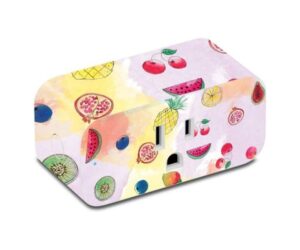
MightySkins for Amazon Smart Plug: Durable | Vinyl Decal Cover Review: Is It Worth It?
Introduction The MightySkins for Amazon Smart Plug: Durable | Vinyl Decal Cover (ASIN: B07K4QHSN3) is a product we...
Read guide →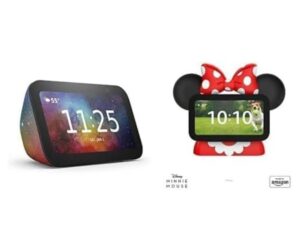
Echo Show 5 Kids Bundle: Echo Show 5 & Minnie Mouse Review: Is It Worth It?
Introduction The Echo Show 5 Kids Bundle: Echo Show 5 & Minnie Mouse (ASIN: B0CJCLL5DF) is a product...
Read guide →
Arlo Pro 3 Floodlight Wireless Camera, Color Night Vision Review: Is It Worth Buying?
Introduction If you are looking for a reliable option, the Arlo Pro 3 Floodlight Wireless Camera, Color Night...
Read guide →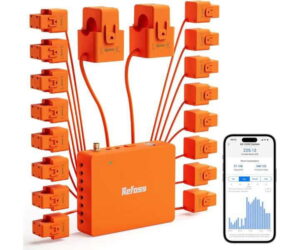
Is Refoss EM16 Smart Energy Monitor, Orange + White Worth It? Full Review
Introduction If you are looking for a reliable option, the Refoss EM16 Smart Energy Monitor, Orange + White...
Read guide →